
What is the RAV01 form?
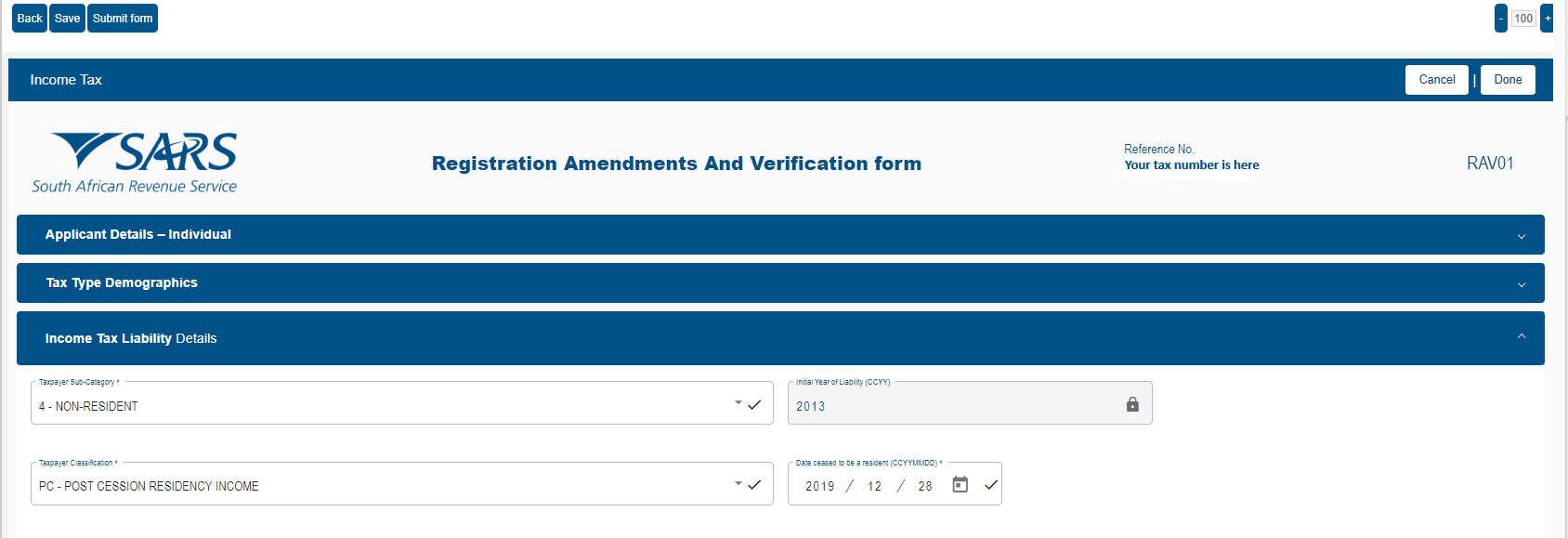
The RAV01 is the Registration Amendments and Verification form on SARS eFiling. It shows the details SARS holds about you, such as your personal information, contact details and address, and lets you update them. Your tax status is changed on the same form later in the process.
The RAV01 is one of the practical steps in tax emigration, so it pays to get your details right here first.
The RAV01 course
The RAV01 is one step. This course covers the lot.
This guide follows the videos in the DIYTaxFlix RAV01 self-paced digital course. In the course you watch each step on screen, work at your own pace and carry on past the RAV01 to your tax status and the end of the process. It was designed by Andrew Fraser, a Chartered Accountant who has advised on South African tax for over 40 years, since 1984.
RAV01 FAQs
How can I update my SARS registered details?
You do this under Maintain SARS Registered Details, where you can edit, update and select Done for each section. Find out the step-by-step details in our RAV01 course.
Can I update my SARS details myself?
Yes, eFiling allows you to view and update your details on your own. Our DIYTaxFlix step-by-step course shows you where to go and exactly where to click so you can get this done.
Where can I find Maintain SARS Registered Details?
This is on the sub menu under SARS Registered Details on the left-hand side menu. Our course helps guide you through each step in detail.
Why is my eFiling in Organisation view not Individual view?
If you were ever linked to a business as a director or public officer, for example, or your eFiling was set up for a small business in the past, this can happen. To switch to Individual view, select your name from the taxpayer list. Our step-by-step course walks you through this.
On the Tax Subscriptions message should I select Cancel or Proceed?
This message is telling you that your eFiling may not list every tax type SARS has linked to you. Nothing is wrong. You are updating your existing income tax registration details, so click Proceed. Our DIYTaxFlix course takes you through how to update this.
Why is Nature of Entity locked on the RAV01?
You do not need to change it, and it is locked because it cannot be changed. It should say Individual and if it does, you are in the right place and can click Edit to update your details. Our DIYTaxFlix RAV01 course goes through this step-by-step.
What does a maroon section on the RAV01 mean?
This is SARS highlighting information that needs updating or checking. Click on the arrow to expand it, review the details, and update anything that is outdated. We guide you through the RAV01 in our step-by-step course.
Where is my tax reference number on RAV01?
The RAV01, or Registration Amendments and Verification form, will have your tax number on it when it opens. For a guide on how to complete your RAV01 form yourself, take a look at our course.
What details need to be checked before updating my tax status?
Personal details, contact details and address details, as SARS needs to reach you on them. This is very important if you have already left South Africa. Our course has step-by-step instructions on how to find these and update them yourself.
How do I enter an overseas cell number on the RAV01?
Do not use the + sign. Enter 00, then the country code, then the rest of your number. Remember to check your email address is correct so any important SARS messages can reach you. Our course helps guide you through how to complete the RAV01 form yourself.
Why am I getting an error saying my cell number is invalid with the RAV01 form?
SARS expects a South African number in the ten-digit format, so an overseas number can get this error. Enter it as 00, then the country code, then the rest of the number. If this is still rejected, you may need to use a valid South African number. Many people use a trusted friend or family member’s number so they can pass any messages and OTPs on straight away. If you’d like step-by-step guides, our DIYTaxFlix course helps with this.
What is the difference between the Done and Submit form buttons on the RAV01?
Done finishes the section you’re editing, while the Submit form button sends your completed changes to SARS. Only use the Submit form button when the whole RAV01 is ready, including tax status changes. Take a look at our RAV01 course for step-by-step guidance.
Why are there greyed out fields on the RAV01 form?
Until Edit is clicked, nothing can be changed on the form. It is at the top right. Our course takes you through step-by-step guidance with the RAV01 form.
Why have my RAV01 changes disappeared?
If you left a section before clicking the Done button, the details have to be entered again. Finish one section at a time, clicking Done before moving on. Our course takes you through step-by-step instructions on completing the RAV01 form.
What do I do after updating my contact and address details?
Your tax status is updated on the same form. Leave Submit form until last. The DIYTaxFlix self-paced digital course can help give you guidance to complete this.
For course members
Before you start
Is updating my details the same as tax emigration?
No. Updating your personal, contact and address details is the first part. Your tax status is changed later in the process, on the same form. Tax emigration is the process of formally telling SARS that you are no longer a South African tax resident.
DIYTaxFlix is an educational programme. This guide explains how the SARS process generally works and is not personalised tax advice.